A practical guide for Drupal developers who can't afford to run Unix because reasons

So you're up to date with all things frontend. You know your SASS, Compass, Ruby and the whole nine yards. So far, so good. Yada yada yada, one day your Product Owner tells you to work on that supercalifragilisticexpialidocious SASS project at the client's office.
Using the client's PC.
Running Windows Vista.

I've recently come across a project that, for security reasons, must be developed on the client side — literally. At least it's Drupal 7, and for the frontend we developed an Omega subtheme to go with it. And, yes, they run Windows Vista there. Don't ask. But apart from Vista's, well, foibles, it's quite a doable task. Follow me:
Download
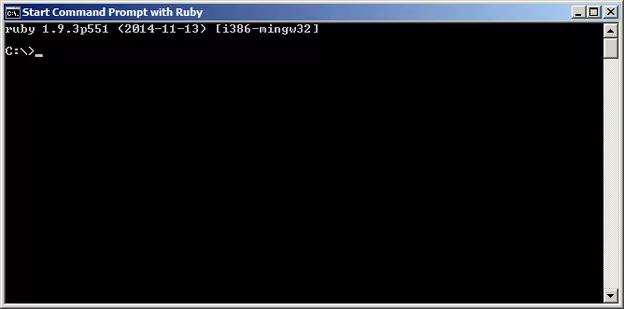
Even under Windows you can get your SASS fix. First off, there's Ruby Installer which can be downloaded and installed as always (next, next, next, finish). It's essentially a flavour of cmd with ruby goodness:
Next, you'll need the Ruby Development Kit. Still in http://rubyinstaller.org/downloads, look for the Ruby 1.8.7 and 1.9.3 compatible version.
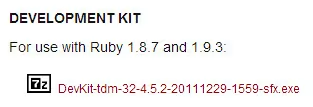
Download the executable file (nothing fancy really, just a self-extracting zip) and put its contents in C:\RubyDevkit.
Now you'll need Rubygems to manage your theme's gems. Download and extract to C:\rubygems.
Command line
Having put all the basics behind us, we can start installing Omega's Ruby dependencies.
Click Start > Ruby 2.1.5 > Start Command Prompt with Ruby
Then, enter the following commands:
cd \rubygems
ruby setup.rb
gem install bundler
gem update - system 1.8.29
That's the Bundler installation. With it, you can pull all the correct gem versions according to the theme's gemfile. The "update" in the fourth step is actually a downgrade that resolves quite a time-consuming Bundler incompatibility.
Next, enter:
cd C:\RubyDevkit
ruby dk.rb init
ruby dk.rb review
ruby dk.rb install
Now change to your theme's directory and issue:
bundle install
gem install sass-globbing --version 1.1.0
Again letting go of one troublesome version. Now, dependencies are installed only where your theme is, and you'll avoid conflicts with other projects.
Editing SASS
bundle exec guardExiting
exit(Well, whattya know.)
That's it. Have fun with SASS under Windows! Well… or style away at least.
Originally published at https://linkedin.com on May 8, 2015.