you read that right.
yup. that's exactly what happened on my website, so I laid out the steps just in case someone else gets stuck like me.
so there I was, investigating another topic for a separate article¹ when I came across this:
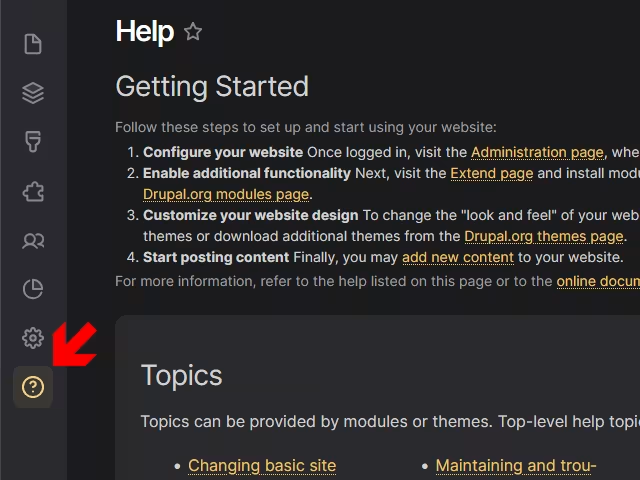
that's from the Help module, which to be fair I never used — at least not in my personal website -- and couldn't, for the life of me, remember why was it installed in the first place.
well, no issue. we'll just disable it. right?
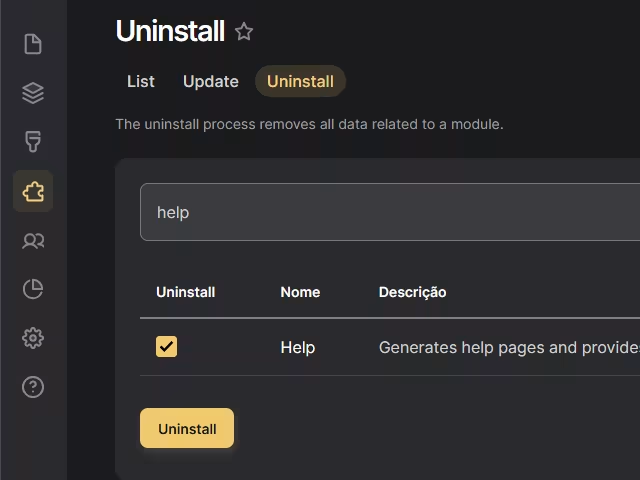
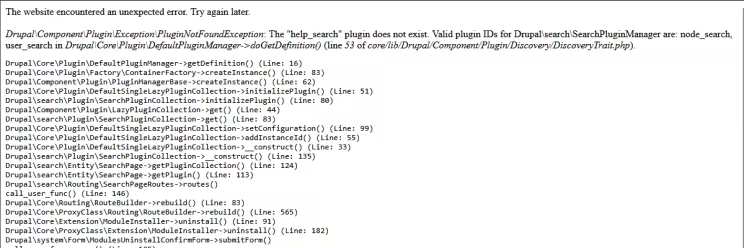
wrong.
possible routes
ok, so now what? simply put, we have an entry in the database that doesn't match the code. from here on, there are a few options:
- leave the code, DB, and module alone.
- create a fresh D10 installation, import the DB, uninstall the module, then import the updated DB back into D11.
- roll up my proverbial sleeves and tinker with the DB & config sync manually.
option #1 is typically what happens in an established project, and we usually refer to it as technical debt. I'm not a fan of it myself, and since it's my website, it's on me to fix anyway — or forever live with it.
option #2 is... meh. boring.
option #3 means a learning opportunity in exchange for stirring up trouble, so naturally that's where I'm going.
first off, I should restore the configs (which I saved (thank you, past Luciano)) running drush cim, then saving a new file called check_help.php:
<?php
use Drupal\Core\Database\Database;

$database = Database::getConnection();
$query = $database->select('config', 'c')
  ->fields('c', ['collection', 'data'])
  ->condition('name', 'core.extension');
$results = $query->execute()->fetchAll();

foreach ($results as $result) {
  $collection = $result->collection ?: 'default';
  $data = unserialize($result->data);
  $modules = array_keys($data['module']);
  echo "Collection: $collection\n";
  echo "Has help module: " . (in_array('help', $modules) ? 'Yes' : 'No') . "\n";
}
(by the way, isn't the Elvis operator always on your mind? 🕺)
this file will query the core.extension collection in the config table in your DB, searching for the Help module in the corresponding data field, and returning Yes if found.
you can run this script like so:
$ ddev drush php-script check_help.phpand the output will be:
Collection: default
Has help module: Yes
but you can also run:
$ ddev drush pm-list --status=enabled | grep 'help'and get as a result:
Core      Help (help)
Enabled   11.1.1
so now we need to manually disable it. we could theoretically change the serialized data in the core.extension collection in the config table of the DB, in the corresponding data field as seen before. but that wouldn't get rid of the config entities.
since I have access to the config sync files, I'll try a slightly safer, tidier route of editing these files.
user.role.content_editor.yml
- remove help under dependencies > module
- remove 'access help pages' under permissions
core.extension.yml
- remove 'help:0' under module
and removing these files entirely (after safely backing them up):
- block.block.default_theme_help.yml
- block.block.another_theme_help.yml
- block.block.my_theme_help.yml
how did I come across this list?
well: in my case, when I uninstalled the Help module, running drush cim brought up that list of discrepancies:
$ ddev drush pmu help

The "help_search" plugin does not exist. Valid plugin IDs for Drupal\search\SearchPluginManager are: node_search, user_search

$ ddev drush @luco-ws-dev cim

+----------------+-----------------------------------+-----------+
| Collection     | Config                            | Operation |
+----------------+-----------------------------------+-----------+
|                | block.block.another_theme_help    | Create    |
|                | block.block.default_theme_help    | Create    |
|                | block.block.my_theme_help         | Create    |
|                | core.extension                    | Update    |
|                | user.role.content_editor          | Update    |
+----------------+-----------------------------------+-----------+
which is not exactly an official report, but it's something we could work with.
so after removing the block YML files, and removing any references to the Help module from core.extension.yml and user.role.content_editor.yml, we can run drush cim which will hopefully offer to delete all the config items and uninstall the module while importing said configs.
but alas, there is one more hurdle, which is that message we saw earlier — and still hasn't been resolved:
Drupal\Component\Plugin\Exception\PluginNotFoundException: The "help_search" plugin does not exist. Valid plugin IDs for Drupal\search\SearchPluginManager are: node_search, user_search in Drupal\Core\Plugin\DefaultPluginManager->doGetDefinition() (line 53 of core/lib/Drupal/Component/Plugin/Discovery/DiscoveryTrait.php). now then. we've uninstalled the Help module and cleared its configs, but are still circling back to an error with a related module. one thing we could do is query the database config table:
SELECT collection, name, data FROM config WHERE name LIKE 'search.page%' AND data LIKE '%help_search%';or via drush:
$ drush config-list search.pageor even check the config files directly. as it turns out, there is a file named search.page.help_search.yml. let's back it up to a separate folder and run drush cim once more.
+-------------+-------------------------+-----------+
| Collection  | Config                  | Operation |
+-------------+-------------------------+-----------+
|             | search.page.help_search | Delete    |
| config.sync | search.page.help_search | Delete    |
+-------------+-------------------------+-----------+
alternatively, we could use drush:
$ drush config-delete search.page.help_searchand check with
$ drush config-get search.page.help_searchonce we do, these config items will be gone from the DB. there is only one last issue, however.
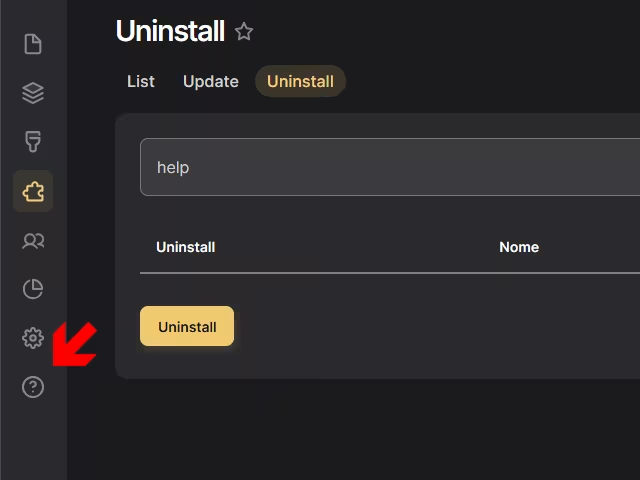
as you can see, the Help module has been uninstalled but its menu option is still around somehow. the workaround for this is deceptively simple: reinstall then uninstall the module.
voilà!
don't forget to clear caches and re-export the configs with drush cex.
now hopefully this module will not come back to haunt me again. but if it does... I'll have another article waiting.
¹ I really need to get my notes in order.
Originally published at https://linkedin.com on April 18, 2025.